Resume templates › Editorial
Editorial resume template
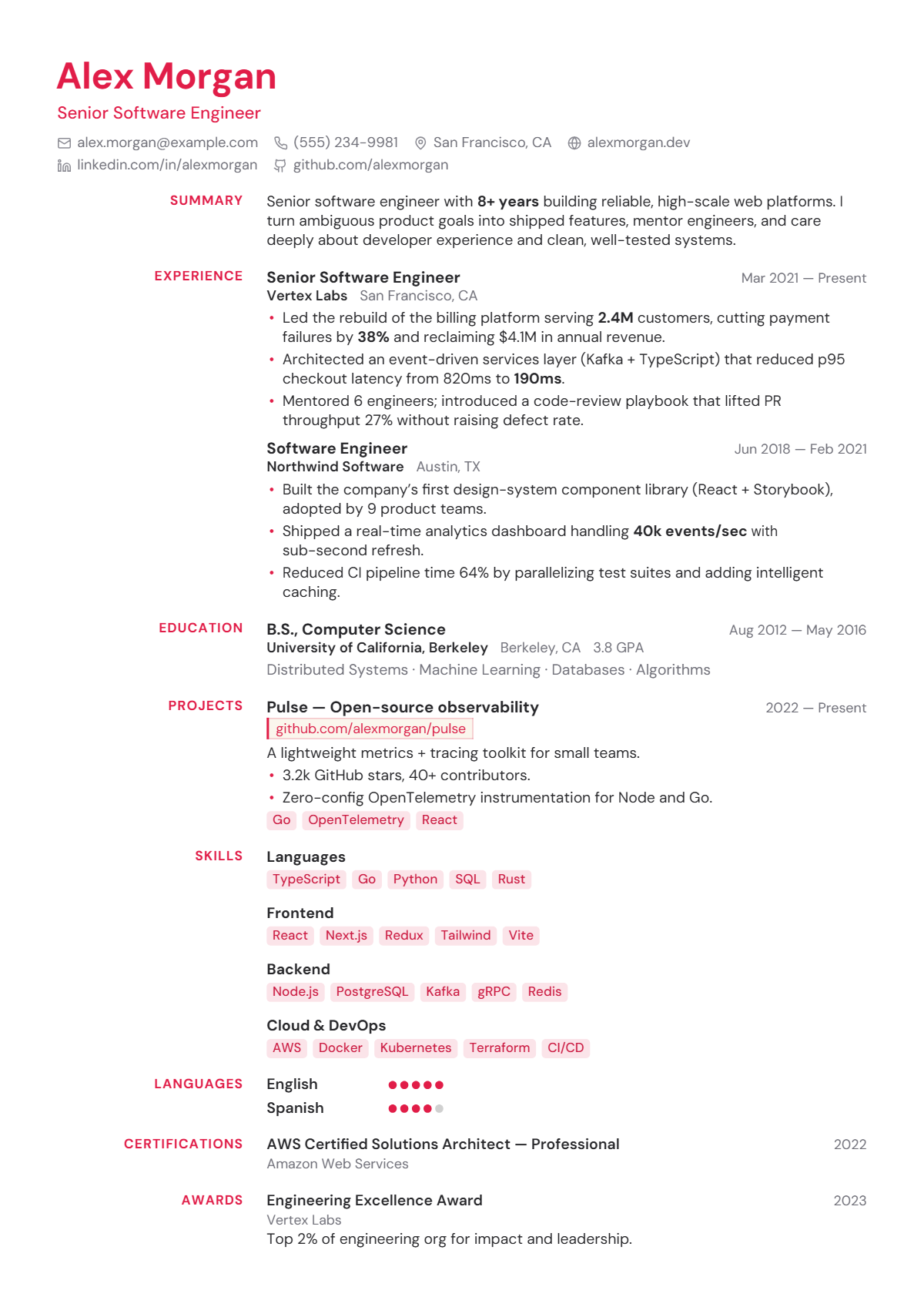
Editorial gutter headings. Magazine-grade structure.
Who the Editorial design suits
Editorial suits marketers, content strategists, UX writers, product managers and designers who want a page that reads like a well-set article. The crimson accent is bold, so it fits media, creative industries and start-ups. Candidates in conservative fields can swap the accent for navy or charcoal, which keeps the structure and calms the tone.
How the page is laid out
Editorial is one column with a gutter: section headings sit right-aligned in a narrow left column in crimson capitals, and the content runs beside them. The header is left-aligned, with a crimson DM Sans name, crimson title and icon contact row. Bullets, project tags and grouped skill chips are tinted crimson, and language levels use crimson dots. No rules divide the sections; white space does.
How it reads to an ATS
Although the headings sit in a side gutter, Editorial is still one flow: each heading is followed by its own content, so parsers read section by section in order. It is not a two-column layout of the kind that trips parsers. Skill chips are words, not images, so every keyword is searchable. Keep headings to standard names such as Experience and Education so they are recognised.
Best for: Single column · Modern · Creative. Free to use, exports selectable text a résumé parser can read, and edits entirely in your browser — no account and no upload.
Not quite right? Switch to any of 75 templates in one click, even after you have filled it in: your content stays, nothing is retyped. Colours, fonts, photo, columns and section styles change just as easily.
Everything on this design can be changed
The picture is a starting point, not a fixed layout. Open the design and change any of this in the editor, with your own words on the page as you do; nothing needs retyping.
- Colours: the accent, heading, text, background and sidebar colours
- Fonts: heading, body and name typefaces, sizes, line height and letter spacing
- Header: photo or monogram on or off, the contact line’s style and whether it sits under, beside or above the name, or in the sidebar
- Section headings: rule, band, side heading and more, for every section at once or one at a time, with an optional icon
- Dates: at the right edge, before the entry, beside the title or in the company line
- Language levels, skill badges and link style
- One or two columns, the sidebar width, section order and which sections appear
- Spacing, margins and page size (A4 or US Letter), and Magic fit to keep it to one, two or three pages
- Switch to any of the other 74 designs at any time; your content comes with you
Start a résumé in this design · Browse all 75 resume templates · See 108 complete resume examples