Resume templates › Cambridge
Cambridge resume template
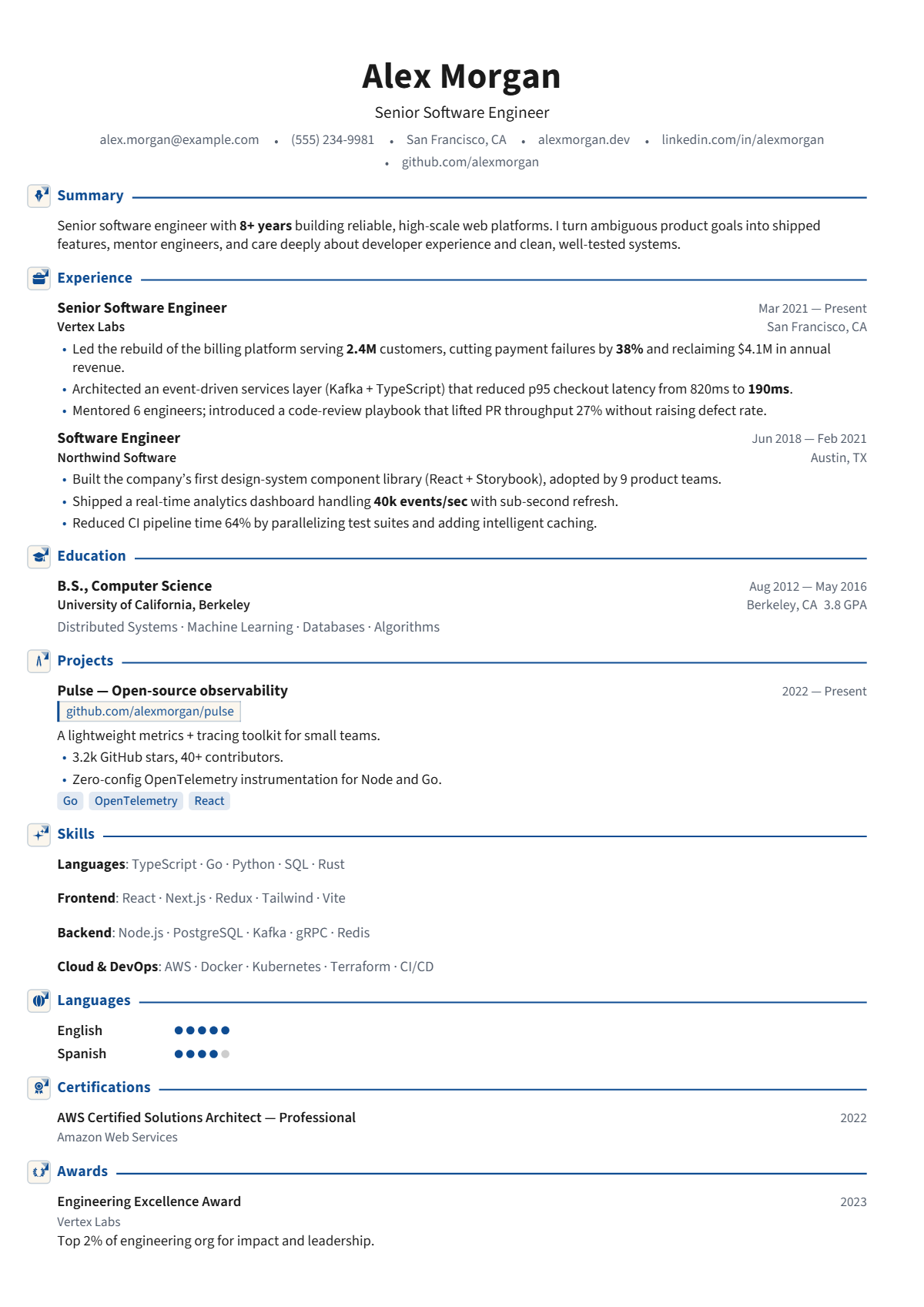
A clean academic layout: Source Sans, a navy accent, ruled headings and right-aligned dates. A favourite for research and engineering CVs.
Who the Cambridge design suits
Cambridge suits researchers, engineers, doctoral candidates, lab staff and academic applicants whose CV lists degrees, publications and projects. The navy accent and right-aligned details give it a clean scholarly feel for faculty search committees and research managers.
How the page is laid out
One column in Source Sans 3. A centred bold name, a title and a dot-separated contact line. Headings are navy in mixed case with an icon badge and a navy rule running from the heading to the right margin. Dates sit flush right, and locations drop to a second right-aligned line beneath them. Skills print inline, project tags are pale blue chips.
How it reads to an ATS
A single column of plain text, read in order. Dates and locations on the right share lines with titles and employers, which most parsers pair correctly. Mixed-case headings are standard words. No photo and no contact icons, so it works across regions and strict portals.
Best for: Single column · Classic. Free to use, exports selectable text a résumé parser can read, and edits entirely in your browser — no account and no upload.
Not quite right? Switch to any of 75 templates in one click, even after you have filled it in: your content stays, nothing is retyped. Colours, fonts, photo, columns and section styles change just as easily.
Everything on this design can be changed
The picture is a starting point, not a fixed layout. Open the design and change any of this in the editor, with your own words on the page as you do; nothing needs retyping.
- Colours: the accent, heading, text, background and sidebar colours
- Fonts: heading, body and name typefaces, sizes, line height and letter spacing
- Header: photo or monogram on or off, the contact line’s style and whether it sits under, beside or above the name, or in the sidebar
- Section headings: rule, band, side heading and more, for every section at once or one at a time, with an optional icon
- Dates: at the right edge, before the entry, beside the title or in the company line
- Language levels, skill badges and link style
- One or two columns, the sidebar width, section order and which sections appear
- Spacing, margins and page size (A4 or US Letter), and Magic fit to keep it to one, two or three pages
- Switch to any of the other 74 designs at any time; your content comes with you
Start a résumé in this design · Browse all 75 resume templates · See 108 complete resume examples